Sharing
Sharing lets you give another organization or person access to a Device or Deployment, so partners and collaborators can see the same data without joining your organization. Sharing is available to Organization Admins.
What You Can Share
You can share Devices and Deployments. When you share a Deployment, its anchoring Site becomes visible to the recipient as well. Sites cannot be shared on their own.
Whatever you share is read-only for the recipient. They can view the resource and its data, but they cannot change its configuration, attach or detach Devices, or edit its rules.
Creating a Share
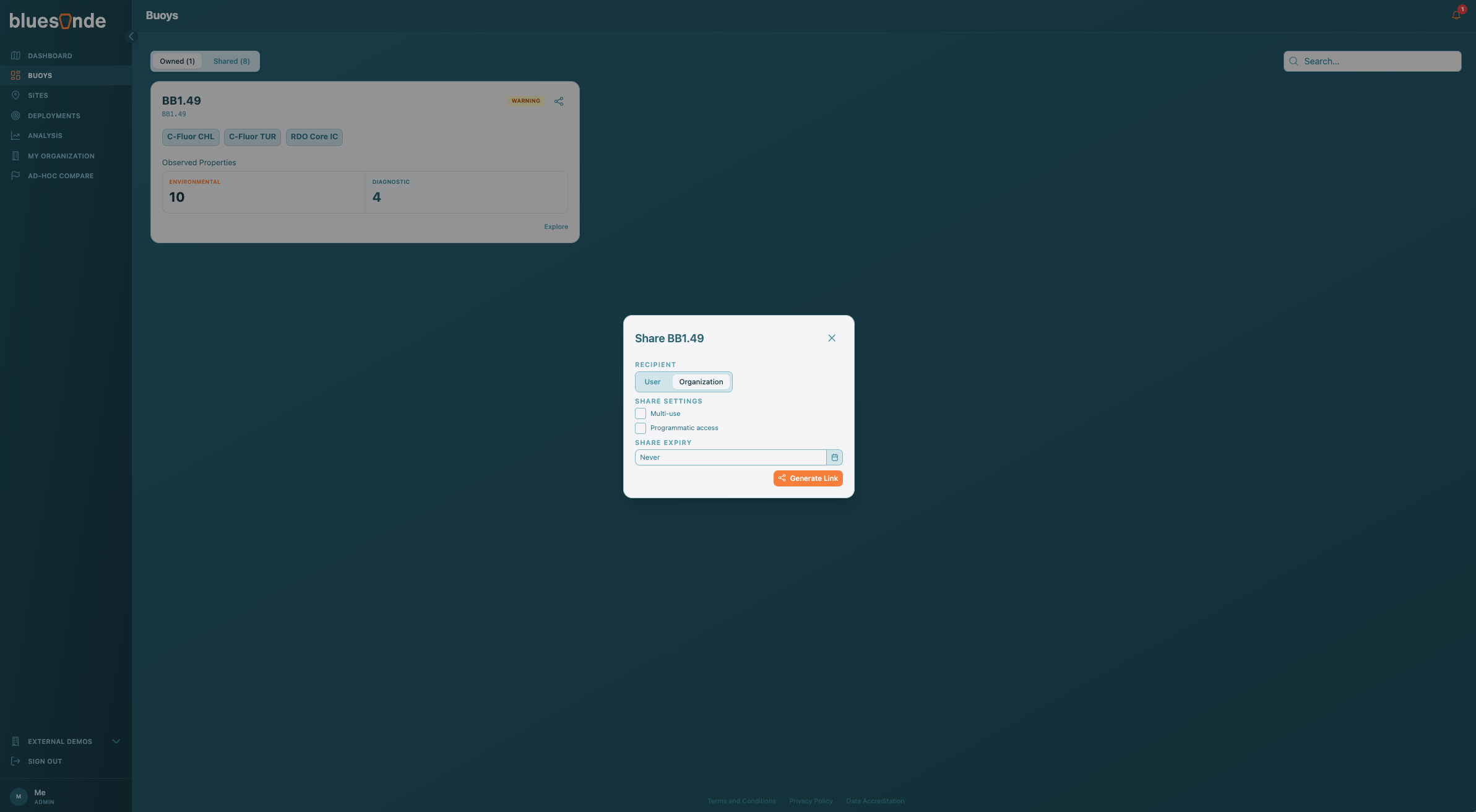
Click the Share button on a Device or Deployment to open the share dialog. Choose who the link is for, either a specific User or another Organization, and optionally set an expiry date or enable programmatic access. Leave the expiry blank for a link that does not expire. Links are one-time use by default, but by selecting 'Multi-Use' you can generate a durable link. Generate the link, copy it, and send it to the recipient.
Claiming a Share
The recipient opens the link you sent, which claims the share and grants access. The shared Device or Deployment then appears under their Shared tab, alongside anything else that has been shared with them. If a link has expired or was already used, claiming it will fail.
Managing Shares
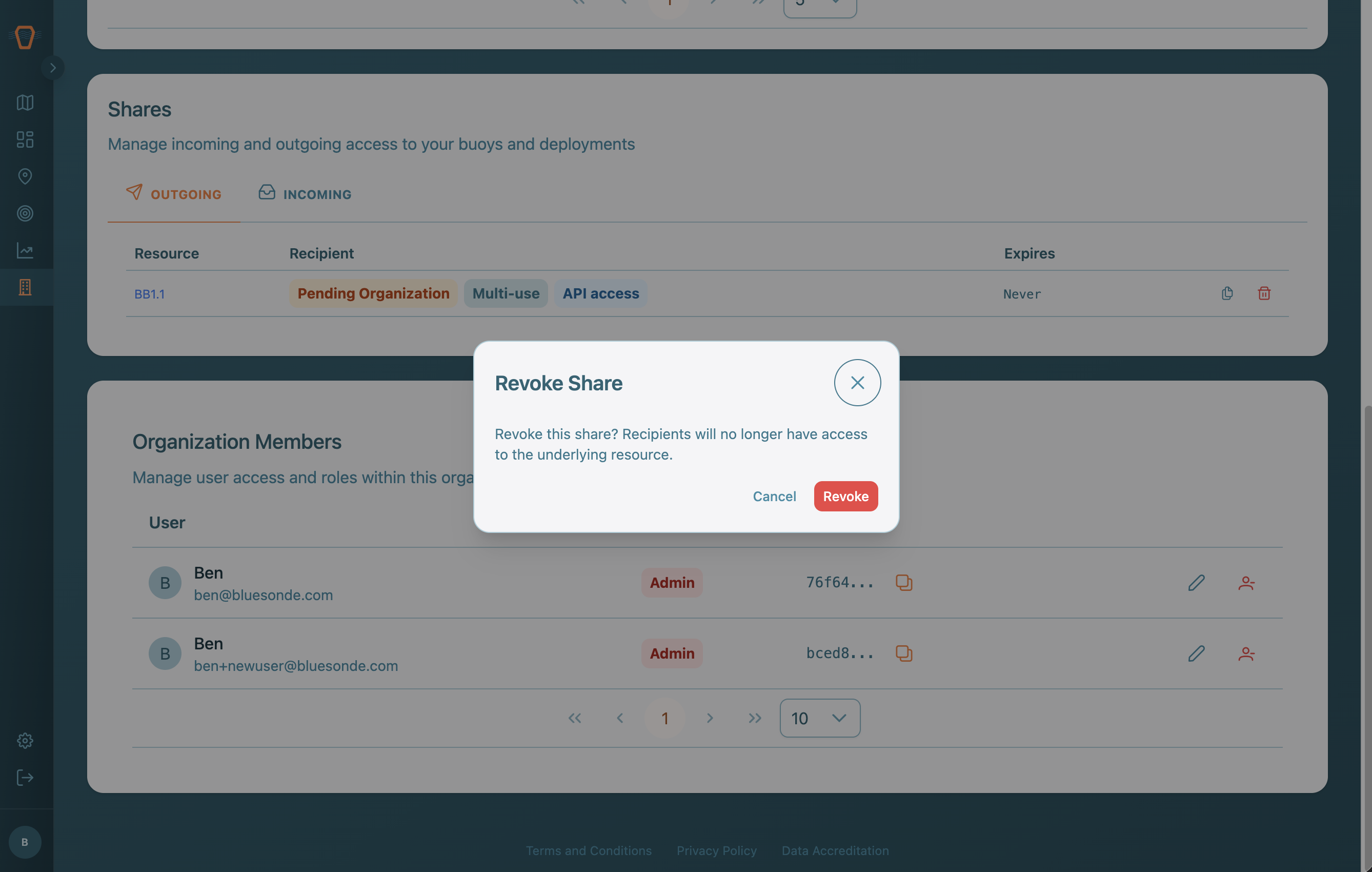
The Shares section on the Organization page lists your Outgoing shares, which are the ones you created, and your Incoming shares, which are the ones granted to you. From here you can copy a claim link again or revoke a share. Revoking takes effect immediately and removes the recipient's access.