Deployments
A Deployment is a time-bounded group of Devices collecting data together, for example a single field campaign or harvest year. The Deployments page lists them and is where you create new ones.
Browsing Deployments
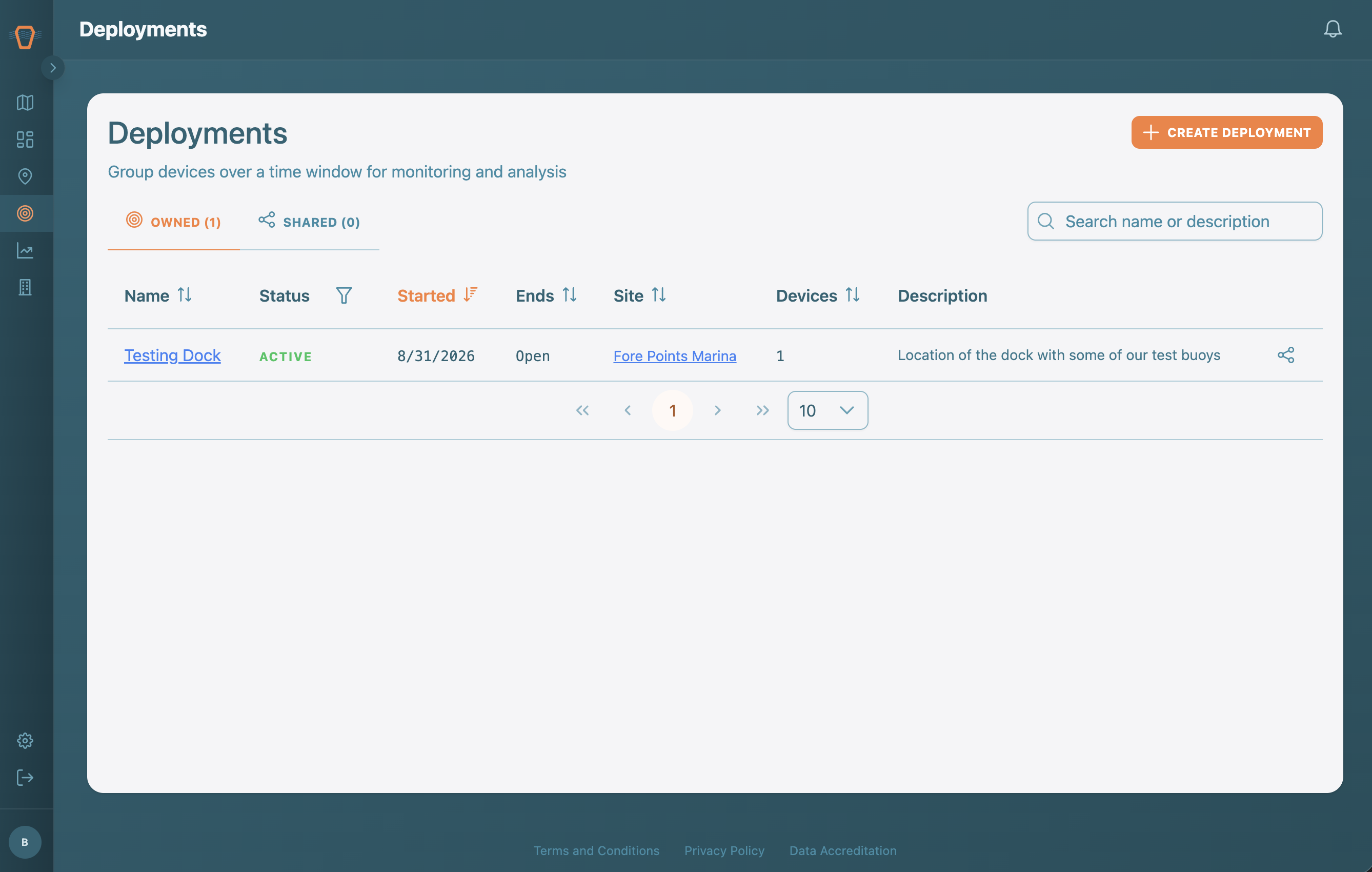
The table shows each Deployment with its status, start and end dates, anchoring Site, and Device count. Switch between the Owned and Shared tabs to see Deployments your organization owns versus those Shared with you, and use the search box and status filter to narrow the list.
Creating a Deployment
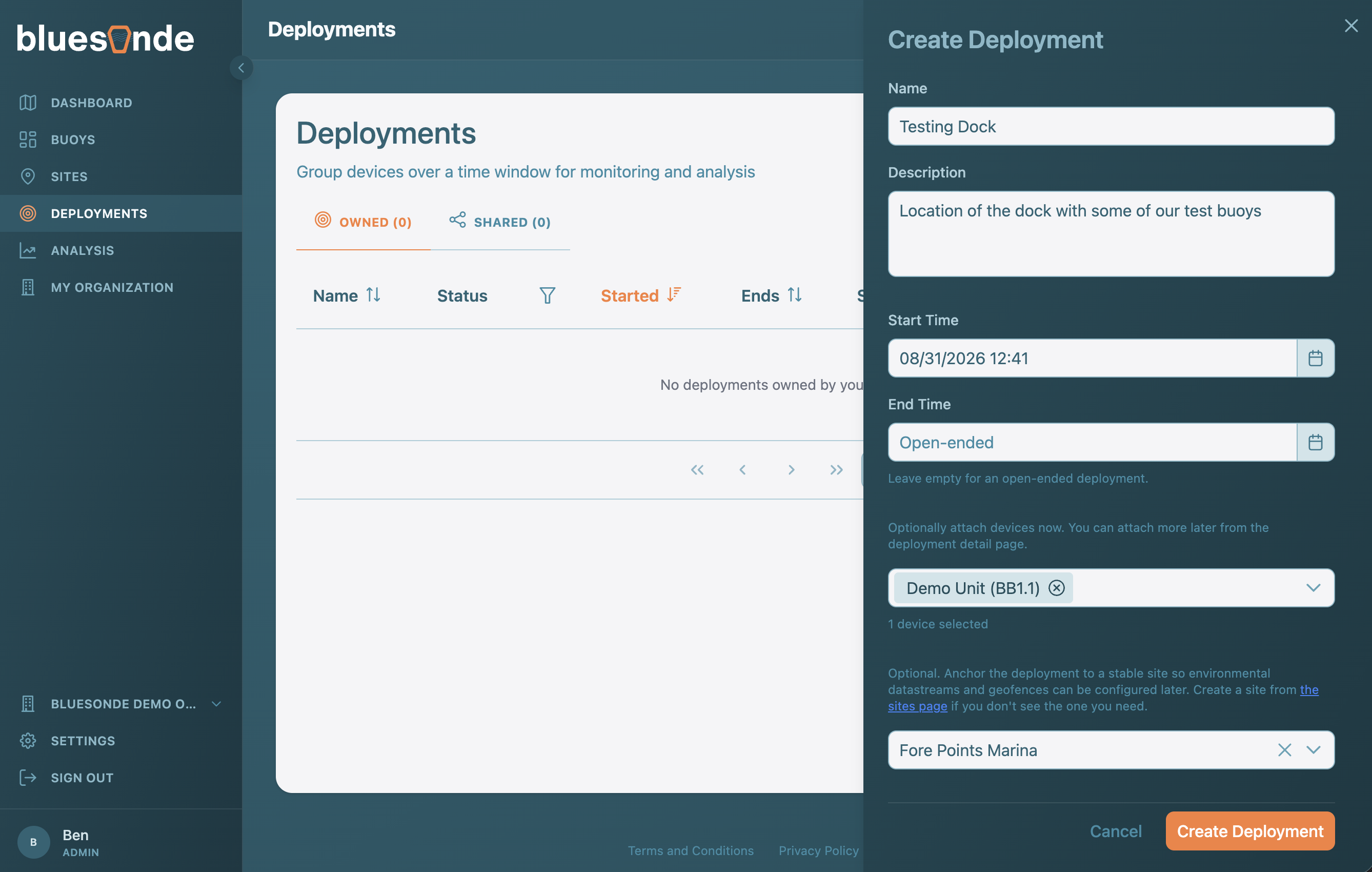
If you are an Organization Admin, use 'Create Deployment' to open the form. Give it a name, description, and schedule. If you set an end time, you will also record an end reason. You can attach Devices right away and, optionally, anchor the Deployment to a Site so its environmental data lines up with your readings. On save, you land on the new Deployment's page.