Alert Detail
This page explains a single Alert: why it fired, which Devices contributed, and where it stands in its lifecycle.
Reading the Alert
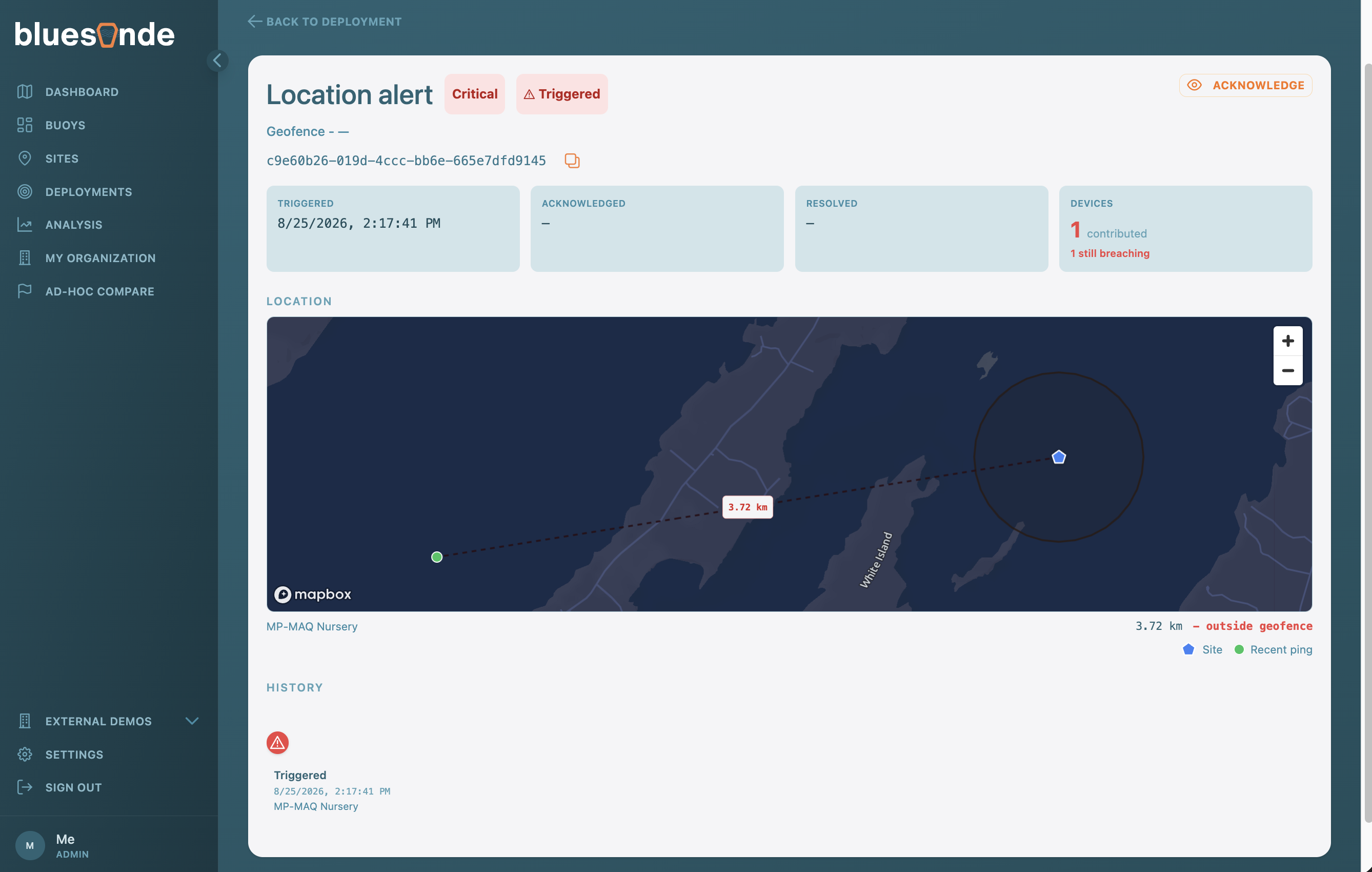
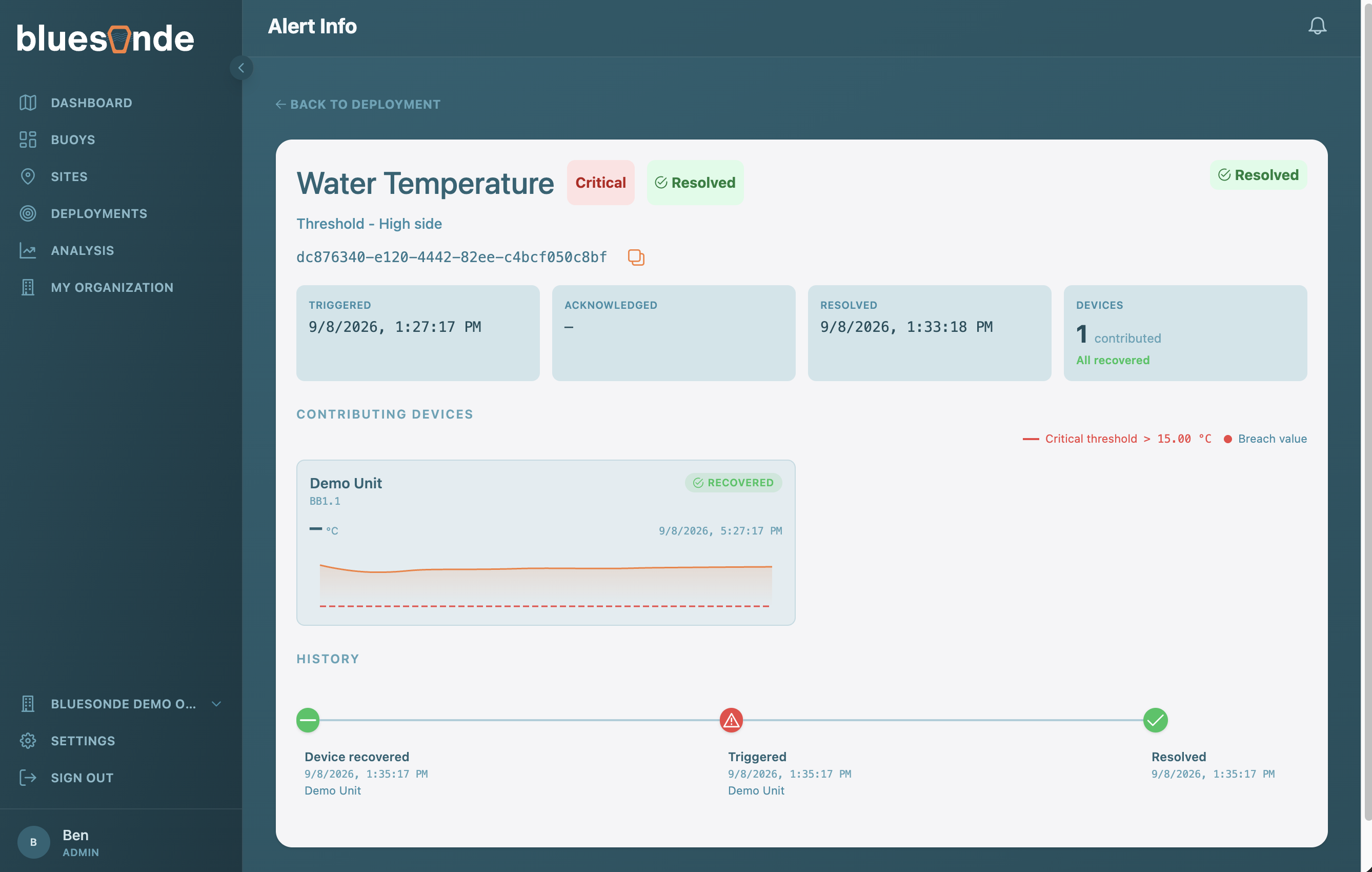
The header shows the Observed Property, the severity of either warning or critical, the current status, and whether it is a threshold Alert or a Geofence Alert. Status tiles record when the Alert was triggered, acknowledged, and resolved, and whether Devices are still breaching or have recovered.
Acknowledging an Alert
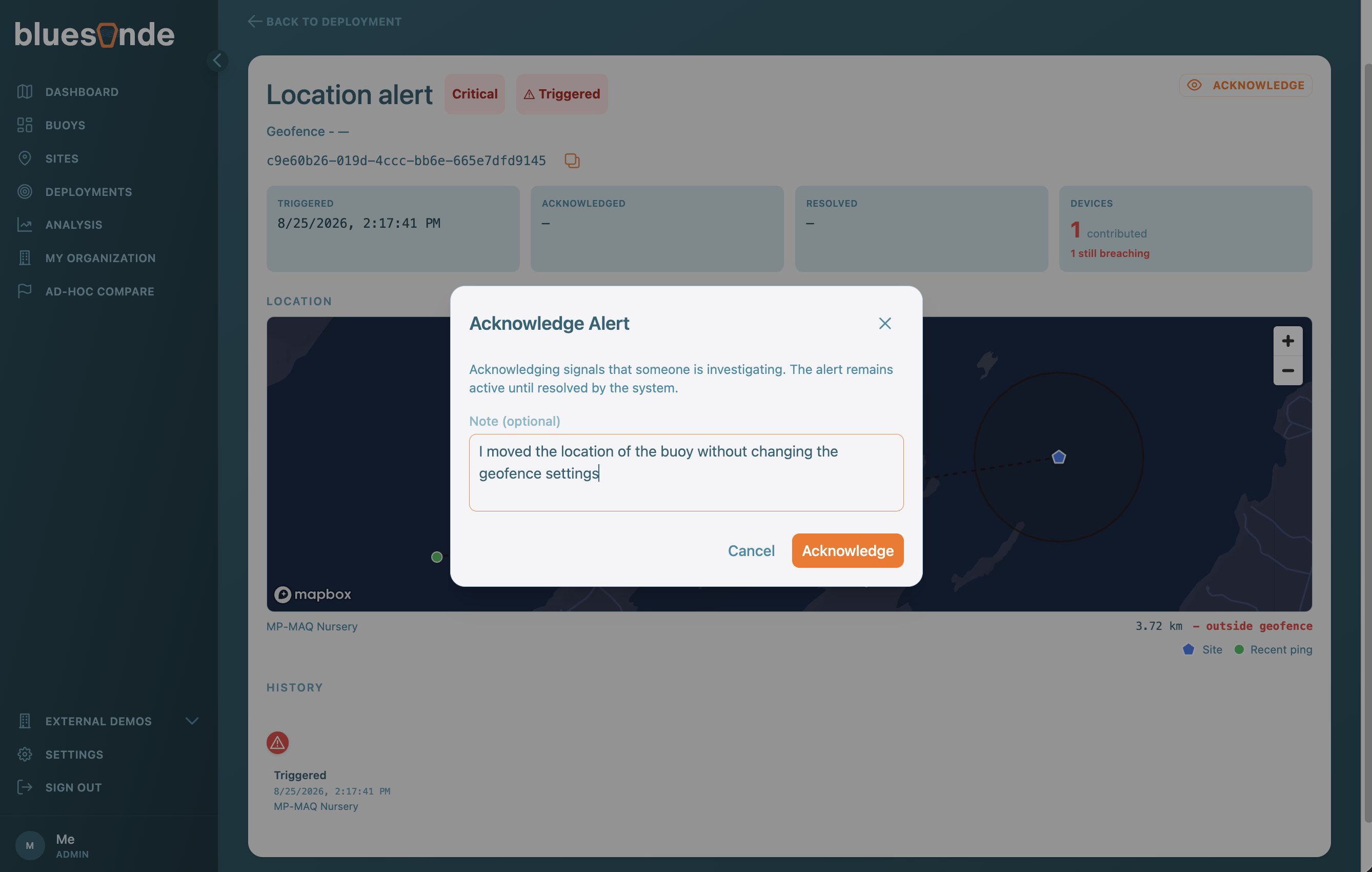
Alerts can be 'Acknowledged' to signal that the Alert has been observed. You can optionally leave a short note, which is shown on the page afterward to provide context to the event.
Evidence and Timeline
For a threshold Alert, a chart shows the contributing Devices around the moment of the breach, with the threshold and breach values marked. For a Geofence Alert, a map shows the Site anchor, the geofence radius, and how far each Device drifted. The event timeline at the bottom lists each step, from triggered to escalated to resolved.